Family step tracker
A little walk. A reason to check in.
Your morning walk and your dad's evening stroll can sit on the same board, even when you live in different places. Kinello brings daily step totals into one private family group.
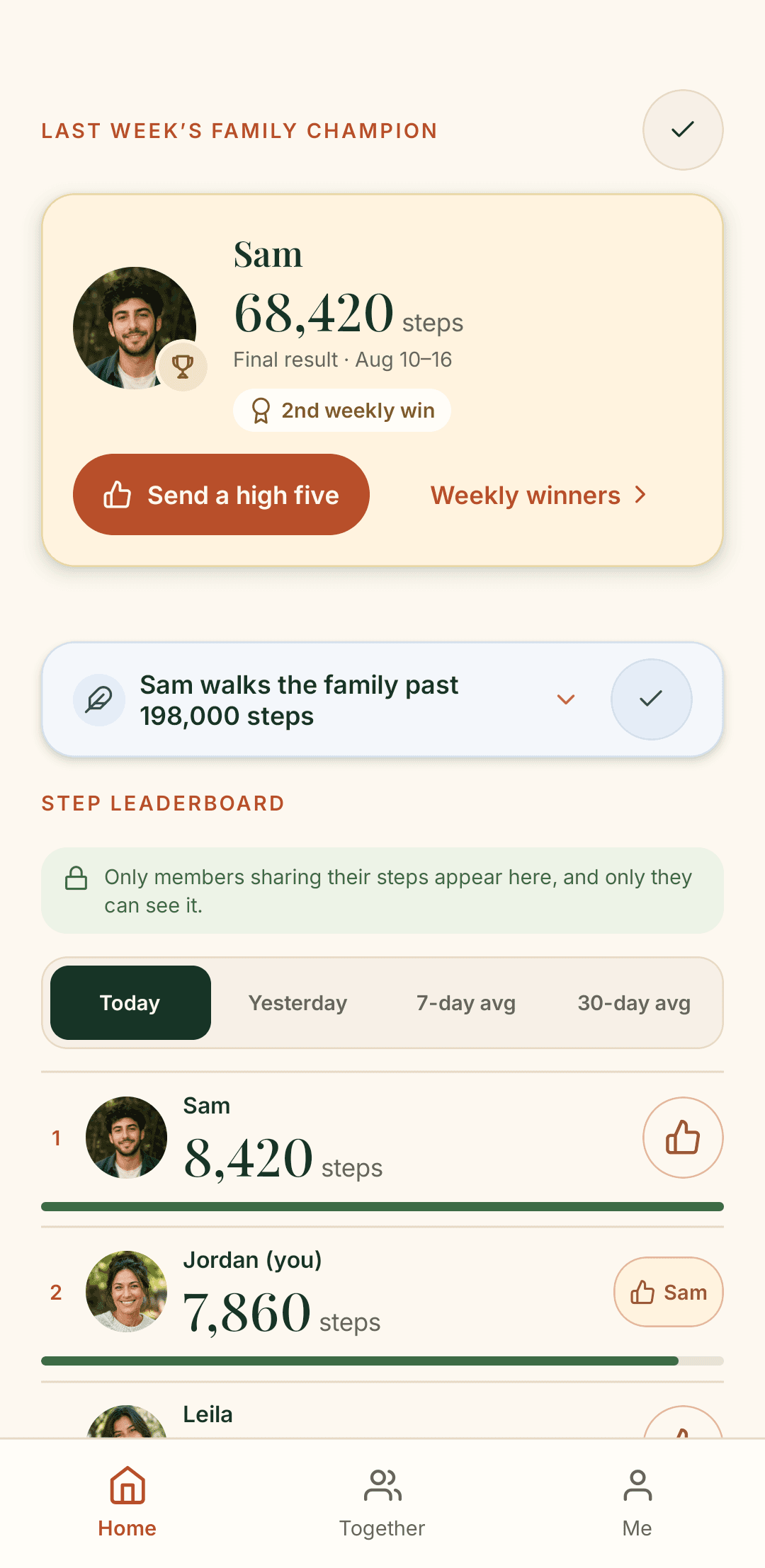
Friendly steps, shared with the people you invite
The family leaderboard brings everyone's daily totals together. There are no public profiles to search or strangers to compete with. Family members choose whether to share their steps; the photos, messages and plans are there for people who don't.
Think of it as a conversation starter: a longer walk than usual, a lunchtime break, or a day spent on your feet. You do not need to set a family target to enjoy seeing each other's day.
How to share steps on iPhone and Android
- Start or join your family. Download Kinello from the App Store or Google Play and create a family, or accept a private invitation. See the full setup guide.
- Check your health app. On iPhone, check Apple Health. On Android, a compatible phone or fitness app needs to record steps in Health Connect. Kinello reads daily totals from these sources; installing Kinello alone does not create a step history.
- Choose to share. Turn on step sharing in Kinello and allow access to Steps when your phone asks. Sharing starts with your choice, not when you join the family.
Your daily total, without your route
Kinello stores a daily step total after you opt in. Raw health samples, routes and workouts stay on the phone. Step sharing is optional, and you can turn it off. Read the consumer health data policy for how step data is handled.
A few practical questions
Do we all need a smartwatch?
No. iPhone can record steps in Apple Health. On Android, a compatible phone or fitness app can record steps in Health Connect. If you use a watch, its companion app needs to support sharing steps with Health Connect. Compatibility depends on your phone and fitness app.
Why are my steps missing?
First check that Apple Health or Health Connect contains steps for today and that Kinello has permission to read Steps. Also check that sharing is enabled in Kinello. If Health Connect or Apple Health has no steps, check the app that records them. Contact support if you still need a hand.
Can iPhone family members join today?
Yes. Kinello is available on the App Store and Google Play. iPhone and Android members can join the same private family.
Try a week together
Start on paper with our free weekly family step tracker, or read how to share steps across iPhone and Android. Missing totals and update times are worth checking before comparing anyone’s week.
Get Kinello
Bring the family's walks together.
Start a private family on iPhone or Android, then invite the people in it.